
Reference

Explore Ovo99Sports Market Boards

nobu999 puts Ovo99Sports football, badminton and basketball selections into one sports room, so you can compare market labels before placing a selection.

Football marketsBadminton eventsBasketball boardsMobile bet slip
nobu999 Explore Ovo99Sports Market Boards
nobu999 Browse Ovo99Sports Before Entry

Browse Ovo99Sports Before Entry

Ovo99Sports is our dedicated sports selection area for football, badminton and basketball event markets. You choose an event, open the available market group, add a selection to your bet slip, then check the displayed odds and stake before confirming. The layout separates event lists from the slip, helping you avoid losing your place while comparing fixtures. We keep the account path visible

before sports access, including clear phone verification for your account.

SPORTS FOCUS

Open Key Ovo99Sports Views

Three practical views shape how you move through Ovo99Sports. Each one starts with the event board rather than a crowded lobby, then gives you a direct route to…

Updated today
nobu999 Fixture market groups
FOOTBALL

Fixture market groups

Football events are arranged under their fixture entries, letting you open a market group before adding anything to the slip. We display the current selection label beside its odds, so you can check the exact choice before confirming your stake.

nobu999 Match-first browsing
BADMINTON

Match-first browsing

Badminton browsing begins with the match entry and moves into the available market choices. This keeps the opponent names, selection label and displayed odds close together, which helps when you are comparing more than one match on a smaller phone screen.

nobu999 Slip-aware switching
BASKETBALL

Slip-aware switching

Basketball boards let you move between event entries while your current selections remain in the bet slip. Before confirmation, you can reopen the slip, remove a choice, change the stake field, or return to the event list without starting again.

ENTRY AND SLIP

Start With Ovo99Sports Rules

A clear order makes Ovo99Sports easier to use: enter the sports room, select a sport, open an event, then add a market choice to the slip.

Choose a sport Begin by choosing football, badminton or basketball from the Ovo99Sports…
Open the event Select an event entry to see its available market labels…
Check the slip Every added choice appears in the Ovo99Sports bet slip with…
Confirm your stake Enter your stake only after checking the displayed odds and…
MARKET TRANSPARENCY

Check Ovo99Sports Game Details

Sports markets do not use the slot-style return figure or volatility labels often shown for reel games.

Auto-refresh hourly
nobu999 Game type

Game type

92%

Sports market room covering football, badminton and basketball selections rather than a reel game or dealer…

nobu999 Volatility

Volatility

97%

Not applicable. Ovo99Sports uses displayed market odds for each selection instead of a slot volatility category.

nobu999 Supported devices

Supported devices

96%

Mobile browsers and desktop browsers can open the event board, market detail and bet slip from…

nobu999 Access region

Access region

95%

Indonesia access and event availability depend on local law, with account verification shown before the sports…

RTP percentages are informational reference values from provider documentation. Actual session outcomes vary.

PHONE VIEW

Switch Ovo99Sports On Mobile

On a phone, Ovo99Sports keeps the sports list at the front and the bet slip within reach, so you can move from football to badminton without leaving the…

nobu999 mobile gaming
Sport list first
Bet slip nearby
Browser account path
Phone verification
SLIP HELP PATH

Get Help With Ovo99Sports

When an Ovo99Sports screen does not match what you expected, start with the event name and selection shown in your slip.

Event selection check If you are unsure which Ovo99Sports choice reached the slip, open the slip and…
Account access issue If the sports room does not open after login, check whether phone verification has…
Stake confirmation question For questions at the final Ovo99Sports confirmation screen, keep the event and market label…
CLEAR SELECTIONS

Check Ovo99Sports Fairness Signals

Fair sports use begins with seeing the actual selection details before you confirm. In Ovo99Sports, we place the event name, market label, displayed odds and stake within the same decision path.

Visible event labels

Each sports choice is tied to an event entry, so you can inspect the fixture or match name before adding it. This reduces confusion between similarly named football, badminton and basketball events while you are moving through the market board.

Displayed odds check

Ovo99Sports shows the odds alongside the selected market before the confirmation stage. You can revisit the slip to check that displayed value again, rather than relying on memory after switching between sports or opening another event.

Stake before confirmation

The stake field is part of the final slip check, giving you a chance to inspect the event, market and stake together. We keep this step separate from initial browsing, which supports more deliberate selection handling on mobile.

Verified account entry

Phone verification is shown before account access, linking the Ovo99Sports room to your account record. If access stalls, the same account-help path can check the verification stage rather than asking you to create another sports entry.

No slot-style RTP claim

Sports selections are not described with a reel-game RTP or volatility figure. We instead show the market information relevant to your choice: event identity, selection label, displayed odds and stake before you confirm the slip.

Local access wording

Ovo99Sports availability in Indonesia depends on local law. We state this at the access point because event availability can differ, and you should check the displayed room status after completing the account access steps.

Compare Ovo99Sports With Sibling Rooms

Ovo99Sports is the part of our lobby built around event selections and a bet slip, not table rounds, reel spins or fishing sessions.

celebsroulette
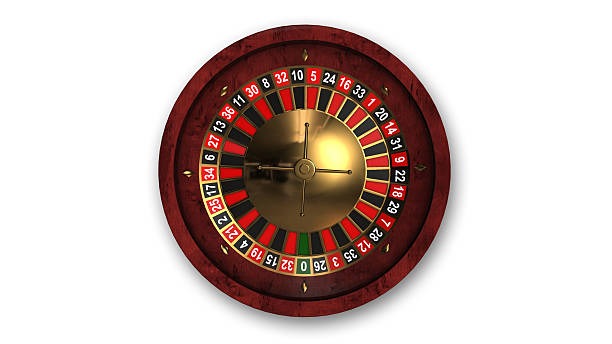
celebsroulette is a roulette-table title, while Ovo99Sports is organised around football, badminton and basketball events. Choose the sports room when you want to inspect event markets and a bet slip rather than select a roulette table round.
avabola
avabola is a separate lobby title, whereas Ovo99Sports keeps its emphasis on sports event boards and displayed odds. The Ovo99Sports path is more suitable when your first step is choosing a football, badminton or basketball event.
Crash Games
Crash Games use a distinct round-based format, while Ovo99Sports begins with a sports category and event list. In the sports room, your choices remain visible in a slip so you can check market labels and stakes before confirmation.
slotbingo
slotbingo centres on slot and bingo-style game access, not sports fixtures. Ovo99Sports instead groups choices by football, badminton and basketball, giving you a clearer route when your interest is an event market rather than a reel session.
superfishing
superfishing is a fishing-room title with its own game format. Ovo99Sports does not use that format; it presents sports event entries, market labels and displayed odds, then carries your selected choices into the bet slip.
Football focus
Among these rooms, Ovo99Sports is the direct choice for football market browsing. You can open a fixture entry, inspect the available labels and retain your selection in the slip while comparing another event on the same board.
Badminton and basketball
Ovo99Sports also separates badminton and basketball from casino-style titles in the lobby. That organisation lets you begin with the sport itself, then work through event choices and stake confirmation without mixing the flow with table or slot screens.

Discover Ovo99Sports Highlights

The useful parts of Ovo99Sports are the details you can check before confirming a choice.

Three sports categories

Ovo99Sports gives you separate starting points for football, badminton and basketball. Selecting the sport first narrows the event list, so your browsing begins with the category you actually want instead of a mixed casino-style lobby display.

Event-led market access

Each sports path moves from a category into an event entry and then to available market labels. This order keeps the fixture or match name present before you add a selection, helping you confirm the context of every choice.

Displayed selection odds

The odds shown beside an Ovo99Sports market choice can be checked again in the bet slip. We place this detail before stake confirmation, giving you a visible reference when you return from another event or switch sports categories.

Editable bet slip

Your slip keeps added choices together while you continue browsing. Before confirmation, you can remove a selection and return to the event list, which is useful when comparing football fixtures or reviewing more than one badminton match.

Phone browser layout

Ovo99Sports is available through the mobile browser route after login and phone verification. The compact view keeps the sport list and slip accessible, letting you review a basketball selection without needing a separate application.

Account-linked access

The sports room opens through the same verified account used in our lobby. Phone verification appears before account access, creating a clear route for checking an Ovo99Sports entry issue through the account-help path if needed.

Browse Ovo99Sports Common Questions

These answers focus on the practical steps inside Ovo99Sports: choosing a sport, opening an event, checking the slip and reaching account help. We keep the answers specific to the sports room rather than mixing them with table or slot instructions. Availability in Indonesia depends on local law, so check the room status after your account access steps are complete.

Ovo99Sports is our sports selection room for football, badminton and basketball event markets. You start with a sport category, open an event entry, choose a displayed market, then check the choice and stake in your bet slip before confirmation.

After logging in, open the Ovo99Sports room and select football, badminton or basketball. Choose an event from the displayed board to view its market labels and odds. Add your intended choice to the slip only after checking the event name and selection.

Yes, Ovo99Sports uses a mobile browser path. Log in, complete phone verification if requested, and open the sports room. The phone layout keeps the event list and bet slip close together, so you can revisit a selection before entering your stake.

An empty slip usually means no market choice has been added from an event screen. Return to the relevant football, badminton or basketball event, select the displayed market choice, then reopen the slip to confirm that the event label and odds appear.

No. RTP and volatility are reel-game labels, not sports-market measures. Ovo99Sports instead presents the details relevant to your selection: the event name, market label, displayed odds and stake. Check all four items in the slip before confirmation.

First check whether phone verification is complete on your account. If the sports room still does not open, use our account-help path and provide the point where access stopped. For a selection issue, include the event name and market label from your slip.

Ovo99Sports access in Indonesia depends on local law, and event availability can vary at the time you open the room. Complete the account access steps, then check the displayed sports board for the football, badminton or basketball events currently available to you.