
Reference

Explore Avabola Football Market Screen

nobu999 brings Avabola football selections, match pricing and ticket controls into one focused screen for Indonesia accounts.

Football selectionsMatch ticket controlsMobile browser accessPhone verification
nobu999 Explore Avabola Football Market Screen
nobu999 Browse Avabola Rules Before Entry

Browse Avabola Rules Before Entry

Avabola is our football-focused market screen, built around choosing a match, reading the available selections, setting a stake, and checking the ticket before confirmation. The game panel shows the provider detail attached to the title, so you can identify the source shown in your lobby rather than relying on an unnamed listing. Unlike a slot session, Avabola centres on scheduled football events

and changing market availability. We keep the account route direct: log in, open Avabola, select a match, then inspect every ticket line.

MARKET FOCUS

Spot Avabola Market Details

The Avabola screen is arranged for decisions before a ticket is sent, not for searching through unrelated casino rooms.

Updated today
nobu999 Football event rows
MATCH LIST

Football event rows

Avabola groups football events into readable rows so you can open a specific fixture first, rather than sorting through slotbingo or superfishing tiles. The selected event stays connected to its market choices as you build a ticket.

nobu999 Visible selection slip
TICKET VIEW

Visible selection slip

Your Avabola ticket presents the selected market and stake field together before confirmation. This gives you a practical pause point to remove an entry, alter the stake, or return to the match screen without losing sight of the choice.

nobu999 Changing market availability
EVENT STATUS

Changing market availability

Market availability can change as a football event approaches or progresses, so Avabola refreshes the choices shown on screen. We recommend checking the current ticket wording immediately before confirmation instead of relying on a previous screen view.

TICKET CONTROLS

Open Avabola Gameplay Controls

Entering Avabola starts with account access, then a football fixture, then a selection placed into the ticket area.

Match first Start from the football fixture list and open one event…
Selection check Read the Avabola market label before adding it to your…
Stake field Enter your stake only after the market reaches the ticket.
Confirmation step The last step is ticket confirmation, where the screen presents…
SESSION FACTS

Check Avabola Session Details

Avabola does not use a fixed slot-style return figure because its outcomes relate to football event markets rather than reel results.

Auto-refresh hourly
nobu999 Game type

Game type

92%

Avabola is a football market screen where you choose from event selections and place them into…

nobu999 Volatility

Volatility

97%

A fixed volatility rating does not apply to Avabola.

nobu999 Supported devices

Supported devices

96%

We support Avabola through modern phone and desktop browsers after login.

nobu999 Access region

Access region

95%

Avabola availability in Indonesia depends on local law and on the events currently displayed in your…

RTP percentages are informational reference values from provider documentation. Actual session outcomes vary.

PHONE MATCH FLOW

Switch Avabola To Phone

On a phone, Avabola keeps the fixture list and ticket route close together so you can move from login to a football selection without changing products.

nobu999 mobile gaming
Open Avabola from your logged-in lobby, then tap a football fixture to reveal its available selections on the same mobile route.
The ticket area follows your chosen market, allowing you to inspect the match label and stake field before moving to confirmation.
If your phone session expires, log in again and complete the requested verification step before returning to the Avabola lobby.
Use desktop when comparing several fixtures at once; use mobile when you need a direct path from account access to one match.
MATCH HELP ROUTE

Ask About Avabola Access

Avabola help is most useful when it follows the point where your ticket or account path stopped.

Lobby entry issue If Avabola does not open after login, tell our account-help team that the issue…
Ticket status check When a market changes before confirmation, keep the fixture name and ticket wording available…
Verification question If phone verification blocks your return to Avabola, use the account-help path before repeatedly…
CLEAR MARKET RECORD

See Avabola Fairness Signals

Fair use of Avabola begins with seeing the market wording, fixture context, and ticket details before you make a confirmation.

Provider label

The Avabola listing includes its provider detail in the game panel. We show that label where you access the title, allowing you to identify the source attached to the football market screen before you enter a fixture.

Market wording

Each available Avabola choice is presented with its market wording before it reaches your ticket. Read that wording in the fixture context, because it is the relevant description of the selection you are considering.

Ticket visibility

Your selected entries remain visible in the ticket area before confirmation. This creates a practical checking point for the fixture, market label, and stake rather than asking you to rely on a separate summary page.

Live availability

Football markets can be added, changed, or removed according to the event status shown in Avabola. We display the current screen state rather than suggesting that every market remains available throughout a scheduled fixture.

Account verification

Phone verification is part of our account access path when requested. Completing it before entering Avabola helps keep your login session associated with your account, especially after a device or browser change.

Region wording

We state that Avabola access depends on local law because availability can differ by region. Check the logged-in lobby for the current title and event list instead of assuming that a shared link will open everywhere.

Compare Avabola With Sibling Rooms

Avabola has a different rhythm from the other titles in our lobby because it follows football fixtures and ticket selections rather than round-based game controls.

Avabola
Choose Avabola when you want football fixtures, market labels, and a ticket panel in one screen. Its pace is connected to scheduled events and active availability rather than a repeating casino round.
celebsroulette
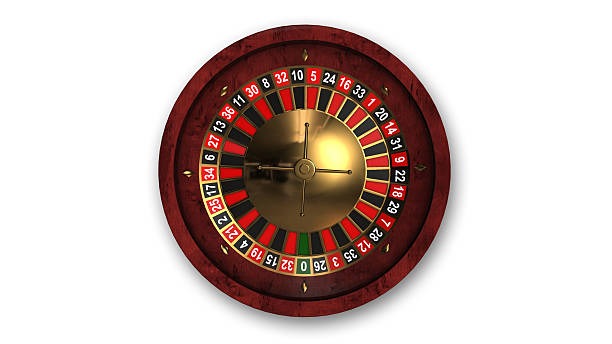
Open celebsroulette when a roulette table format suits you better. It uses table-style choices and round timing, while Avabola uses football fixture rows and ticket-based market selections.
ovo99sports
Use ovo99sports for sportsbook browsing beyond this focused Avabola title. Avabola narrows your attention to its football market screen, whereas the sportsbook can include badminton and basketball categories.
Crash Games
Crash Games are built around short, repeating game rounds and their own controls. Avabola does not follow that pattern; its screen is organised around match schedules, available football markets, and ticket confirmation.
slotbingo
slotbingo is a slot-style lobby title with reel-based sessions. Avabola is different because you select from football event markets, inspect ticket wording, and follow the fixture list rather than slot symbols.
superfishing
superfishing uses an action-room format designed around fishing gameplay. Select Avabola instead when you want a quieter decision flow based on football fixtures, market labels, stake entry, and ticket review.
Mobile choice
On mobile, Avabola suits a direct match-and-ticket path from the browser lobby. The sibling rooms also open on mobile, but their controls and session formats are designed around different game categories.

Browse Avabola Match Highlights

Avabola works best when you treat the screen as a sequence of visible checks rather than a quick jump through several unrelated pages.

Current fixtures

The Avabola lobby presents football fixtures that are currently available to your account. Check this list at the time you enter, as scheduled event availability can differ from an earlier browser session or saved link.

Focused market labels

Each selection is tied to a market label within its fixture context. We keep this wording visible before ticket confirmation, making it easier for you to distinguish one football choice from another on busy match days.

Single ticket area

Avabola collects selected entries in a ticket area rather than sending you to a separate game room. This lets you inspect the fixture and stake field together before deciding whether to continue.

Browser entry

You can reach Avabola through the logged-in browser lobby on phone or desktop. There is no separate app requirement, and the same account route returns you to the game tile after verification.

Phone verification

A requested phone verification step is completed before account access continues. This matters when you change devices and want to return to Avabola without mixing an old browser session with your current login.

Local availability

The fixtures and markets shown in Avabola depend on local law and the account region. Use the live lobby display as your current reference, especially when you are checking access from a different location.

Find Avabola Account Answers

These answers cover the questions we hear most often when you are trying to enter Avabola, understand its football ticket flow, or compare it with other lobby titles. We keep the answers specific to this game rather than mixing in unrelated casino instructions. For an issue tied to your own session, begin with the logged-in account path and retain the fixture name or visible ticket wording. That gives us a clearer starting point when account help is needed.

Avabola is our football-focused market screen. You open a fixture, read the available market selections, add a choice to the ticket area, enter a stake, and inspect the ticket before confirmation. It is separate from reel games and live table titles.

Log in through your phone browser, complete phone verification if requested, then open the Avabola tile from the lobby. Tap a football fixture to see its selections. The ticket remains part of the same browser path, with no separate app required.

Availability can change with the fixture status and the current market list. Return to the live Avabola screen and check the ticket wording again before confirmation. Access also depends on local law, so the displayed lobby can vary by account region.

No fixed slot-style return percentage applies to Avabola because it is based on football event markets rather than reel outcomes. Read the fixture, market label, and current ticket details instead. These are the relevant details for an event-based selection.

Yes, the same logged-in account route can open Avabola and celebsroulette from the lobby. The game formats differ: Avabola uses football fixtures and ticket selections, while celebsroulette uses a roulette table and its own round controls.

Check the football fixture name, the market wording, the selected entry, and the stake field in the ticket area. If anything has refreshed or disappeared, return to the current Avabola match screen rather than relying on an earlier selection view.

Use our account-help route and describe where the issue occurred: the Avabola tile, phone verification, fixture screen, or ticket area. Include the match name and visible ticket wording when possible. Those details help us investigate the correct part of your session.